How to create Claude animations, step by step.
A Claude animation is a motion film where every frame is written in code by Claude. This guide shows the exact process behind the 22 films on our Claude animations page: the skill, the prompt, the code, the render and the sound. Plan about two hours for your first one.
What a Claude animation is.
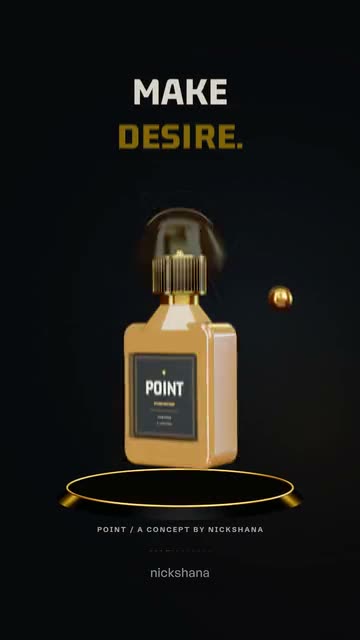
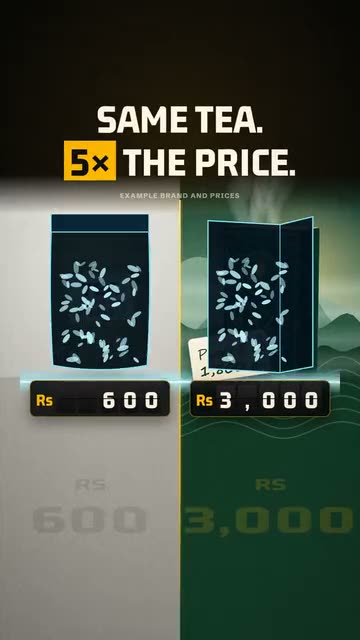
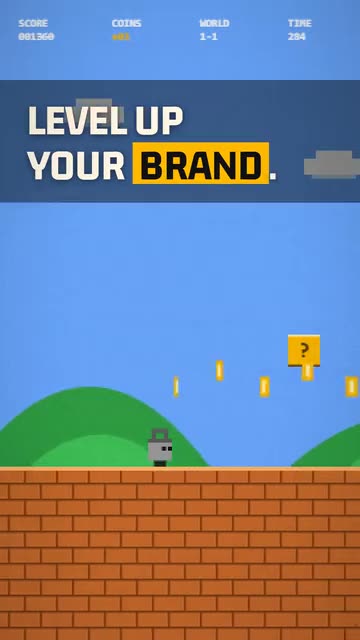
A Claude animation is a video where every frame is drawn by code that Claude writes. The film is a web page: type, shapes, particles and 3D are placed by a function of time, renderAt(t). A renderer opens the page in headless Chrome, asks for frame 0, frame 1, frame 2 and so on, and ffmpeg turns the frames into an MP4.
Because nothing is filmed, a Claude animation can be any size, any length and changed at any time: a new brand name, a new colour or a new music track means editing code, not redoing a timeline. Every film on the Claude animations page was made this way.
What you need.
- Claude Code on your computer, so Claude can run the renderer. The Claude apps can plan and write the film, but rendering needs a machine with Chrome.
- The free Claude animation skill. It gives Claude the rules and the scripts. See what is inside.
- Python 3.10 or newer and Google Chrome.
- A music track you are allowed to use, and your logo file.
- A GPU helps. Frames take about 0.6 to 1.2 seconds each at 1080 by 1920 with 3D and bloom.
1. Install the skill.
Download the skill and unzip it so the folder sits in your Claude skills folder. Claude Code finds it on its own.
# all projects
~/.claude/skills/claude-animation/SKILL.md

# or one project only
my-project/.claude/skills/claude-animation/SKILL.md2. Install the tools.
One command installs everything the scripts need. The renderer uses your installed Google Chrome, and ffmpeg comes with the imageio-ffmpeg package.
pip install playwright numpy scipy pillow imageio-ffmpeg
pip install faster-whisper   # optional: word timings for voice-over
3. Ask Claude for a film with a goal.
The best results come from saying who should do what after watching. Give the length, the format, the music and your brand assets. Claude replies with a hook and a beat sheet before it builds anything.
Make a 20-second 9:16 reel for my coffee brand HALO.
Hook: "Your coffee is lying to you."
Show three mistakes on a supermarket shelf, then HALO as the answer.
Use logo.png, black and gold, cut to track.mp3. End on halo.coffee.
More prompts that work: a tagline where every word acts out its meaning, an A-or-B poll with your products, a logo that forms from particles, a 16:9 cut for YouTube.
4. Approve the script and beat sheet.
A beat sheet puts every visual, every word and every sound on the music grid. Check three things before any code is written:
- The hook lands by 3 seconds. Frame 1 already moves; never open on a logo or a fade.
- Every line can be read. 0.3 seconds per word plus 0.5 seconds once the words have settled.
- The world changes four to six times in 30 seconds, each with its own transition.
bar 1.1  0.0 s  HOOK   "YOUR COFFEE" slams in      hit
bar 1.3  1.0 s  HOOK   "IS LYING" + gold tape      hit
bar 2.1  2.0 s  SHELF  camera dives into the shelf  whoosh
bar 3.1  4.0 s  ERROR  1/3: tiny logo, bracket      tick
5. Let Claude draw every frame in code.
The skill's starter film shows the contract. The page exposes READY, DURATION and renderAt(t). Everything on screen is set from t alone, with springs for natural motion and seeded randomness, so the renderer can draw any frame in any order and get the same picture.
window.DURATION = 20;
window.renderAt = async (t) => {
  world(t);                                   // moving background for this section
  slam(hook[0], t, beat(0));                  // scale + blur, lands on the beat
  slam(hook[1], t, beat(2));
  dot.x = lerp(120, 960, spring(t, beat(4))); // springs, not linear slides
  renderer.render(scene, camera);             // three.js, set from t
};
Keep text inside the safe frame (x 120 to 960, y 270 to 1000 on a 1080 by 1920 reel) so phone apps do not cover it. Open film.html?guides to see the zones.
6. Review key frames before the full render.
Render one still per beat and look at them at phone size. Score the hook, readability, sync, variety, brand and polish out of 10, fix the three weakest, and repeat until all are 8 or more.
python my-film/render.py --check --width 540 --height 960 --samples 1
python my-film/render.py --stills 0.5,3,6,10 -o keys.jpg --width 540 --height 960
7. Render the film.
render.py serves the film folder, opens it in headless Chrome, captures every frame (with motion blur where you ask for it), applies grain and vignette, and pipes the frames to ffmpeg as H.264. Preview small and fast first, then render the final.
python my-film/render.py --fps 15 --width 540 --height 960 --samples 1 -o preview.mp4
python my-film/render.py --crf 16 --preset slow -o _picture.mp4 --no-audio
A 30-second film is 900 frames. At 0.6 to 1.2 seconds a frame, that is about 9 to 18 minutes.
8. Add music and sound effects on the beat.
Find the tempo and the drop, cut the music on bar lines, then give every visible hit its own sound. The skill synthesizes sound effects in Python, so there are no sample packs to license.
python scripts/beat_grid.py track.mp3 100 140   # BPM, downbeat, energy per bar
python my-film/audio.py                        # soundtrack.wav at -14 LUFS + sfx_vo.wav
For ads, always export a version without music too. Commercial songs are usually not cleared for paid ads; you add a licensed sound inside the app.
9. Finish and check.
One command makes the master, the upload copy, the copy without music, a cover image and a QA contact sheet. A second checks for blank frames, freezes, frame rate and audio.
python scripts/finish.py --picture _picture.mp4 --soundtrack soundtrack.wav --novo sfx_vo.wav --name "HALO reel" --out final
python scripts/inspect_video.py "final/HALO reel.mp4" --require-audio --expected-fps 30
Mistakes that make a Claude animation look cheap.
- A slow start. A logo build or a fade-in before anything happens loses most viewers.
- Text too fast to read, or one long sentence sitting still.
- One background for the whole film. Change the world every few seconds.
- Linear slides and CSS easing. Use springs with a little overshoot.
- Text over the bright parts of the picture, or outside the safe frame.
- Sounds for things nobody sees. Every sound should match a visible hit.
- The default template look: cream background, brown serif, tiny labels everywhere.
See the difference in the 22 films, or have one made for your brand by planning it in three taps.
Questions people ask.
What is a Claude animation?
A Claude animation is a video whose every frame is drawn by code that Claude writes. The film is a web page built with HTML, canvas and three.js. A renderer captures it frame by frame in headless Chrome and ffmpeg encodes the frames into an MP4. Nothing is filmed and no animation template is used.
Can Claude make animations and videos?
Yes. Claude cannot press record, but it can write the code that draws every frame of a film, then run a renderer that turns that code into a video file at any resolution. Every film on this page was made that way, including the live one at the top, which is drawn in your browser as you watch.
How long does it take to make a Claude animation?
A first draft of a 20 to 30 second film can come together in an hour or two of prompting and reviewing key frames. A polished ad usually takes a few rounds of fixes. Rendering a 30-second film at 1080 by 1920 takes about 9 to 18 minutes.
Do I need After Effects or other animation software?
No. You need Python, Google Chrome and ffmpeg (installed with the imageio-ffmpeg Python package). Claude writes the animation as code and the scripts in the skill render it.
Does it work in Claude Code and on claude.ai?
It works fully in Claude Code on your own computer, where Claude can run Chrome and ffmpeg to render. You can also upload the skill to the Claude apps as a custom skill for planning, scripting and writing the film code, then render on your machine.
Can I make a 16:9 Claude animation for YouTube?
Yes. Scaffold the film with the --landscape option, which sets 1920 by 1080, and re-compose the layout rather than cropping a vertical film.
Is the skill free? Can I use it for client work?
Yes. The code is MIT licensed and the documentation is CC BY 4.0, so you can use it for personal and commercial work. The credit we ask for is a link to nickshana.com/claude-animations.html.
Claude is a trademark of Anthropic, PBC. NickShana is an independent studio, not affiliated with or endorsed by Anthropic.
Tell us what you are building.
Every project is priced to fit the brief. Tell us what you need and we send a price within 24 hours.